%20200%20px%20X%2040%20px.png?width=200&height=40&name=Protiv%20Global%20Logo%20(White)%20200%20px%20X%2040%20px.png)
📱 Mobile
Your Crew's Active Jobs, One Tap Away
We added a new "In Progress" tab inside the Protiv mobile app. When a worker or manager opens the app, this tab shows only the jobs that are currently active — nothing else.
Why it matters: Before this update, crew members had to scroll through all their jobs to find the ones they were actually working on. Now, everything active is surfaced in one place. That means:
-
Workers can pull up their current job faster and check how many hours are remaining
-
Managers can see what's in progress across the crew without digging
-
Setting goals or reviewing job progress in the field is faster and less friction
This one is especially useful for larger crews juggling multiple jobs in a single day.
.gif?width=184&height=327&name=download%20(1).gif)
📊 Admin & Reporting
Four new tools to give your team more visibility and reduce back-and-forth with payroll.
-
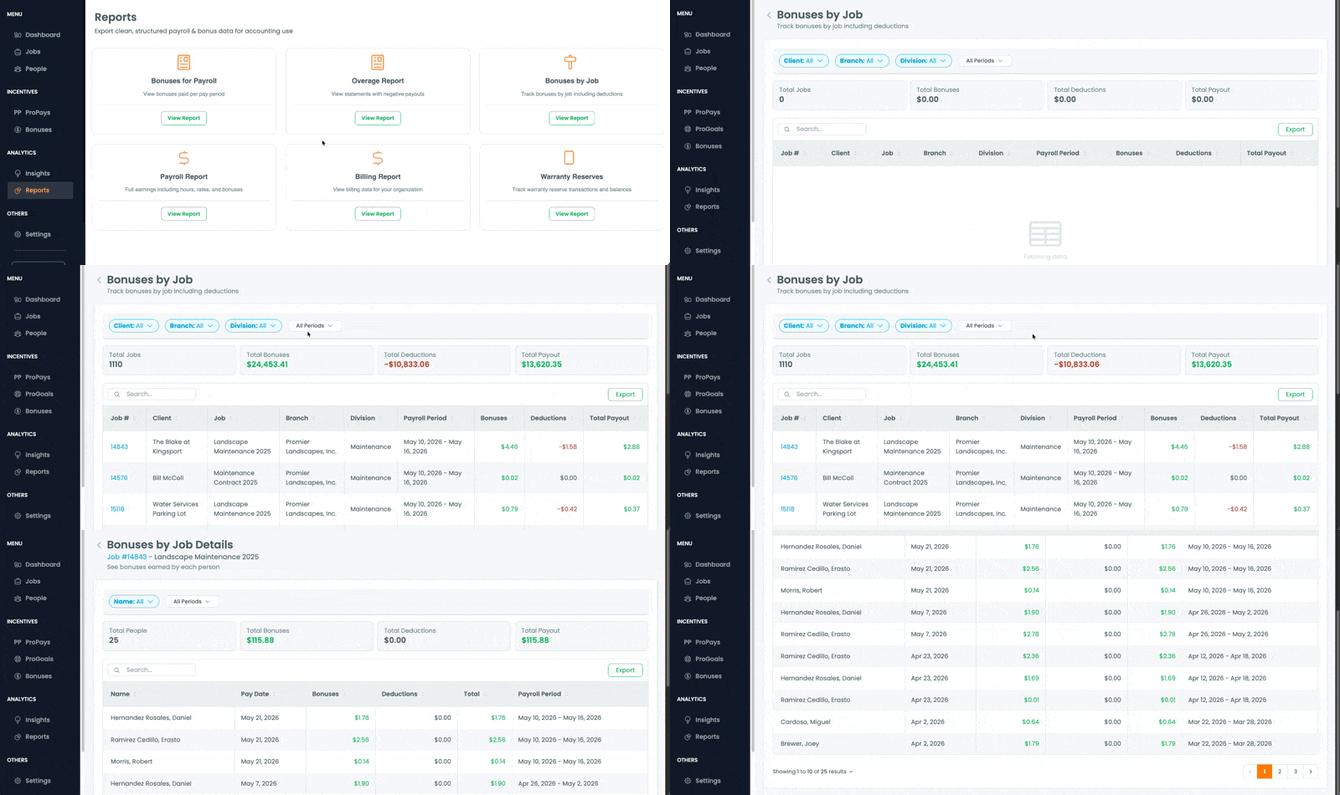
Bonuses by Job Report
Workers and managers can now see a detailed breakdown of exactly which jobs contributed to a bonus — including how each job's performance translated into the final payout amount.
Why it matters: One of the most common questions after a pay run is "where did this number come from?" This report answers that question directly, without you having to walk someone through the math. Workers see it clearly, trust goes up, and the payroll questions drop off.
-
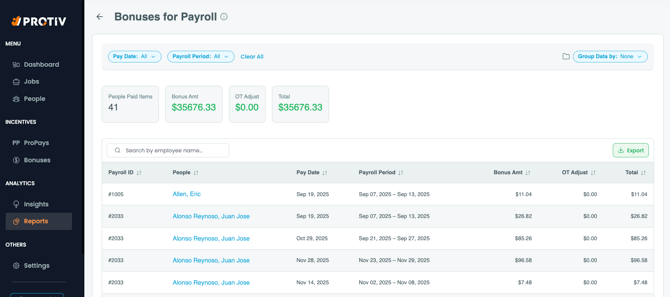
Statement Export to PDF
Pay statements can now be exported as PDF files directly from Protiv — no workarounds, no screenshots.
Why it matters: Whether you're sharing a statement with a worker, referencing it during a review, or keeping records on file, having a clean PDF makes that process straightforward. Pull the statement, export it, done.
-
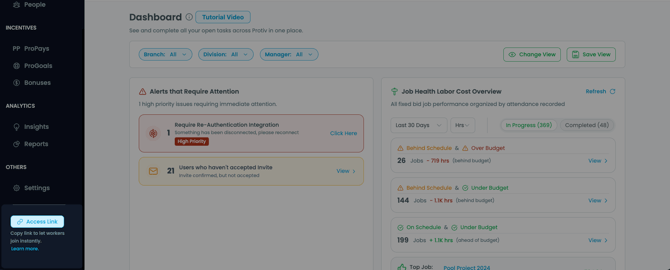
Company Joined Link
You can now generate a shareable access link for new team members to join your Protiv account. When someone uses the link to request access, you get a notification to approve or deny it — nothing goes through automatically.
Why it matters: Adding field workers one by one is tedious, especially during a hiring push. This link lets you send one URL to a whole group of new hires and approve them as they come in, rather than manually inviting each person individually.
-
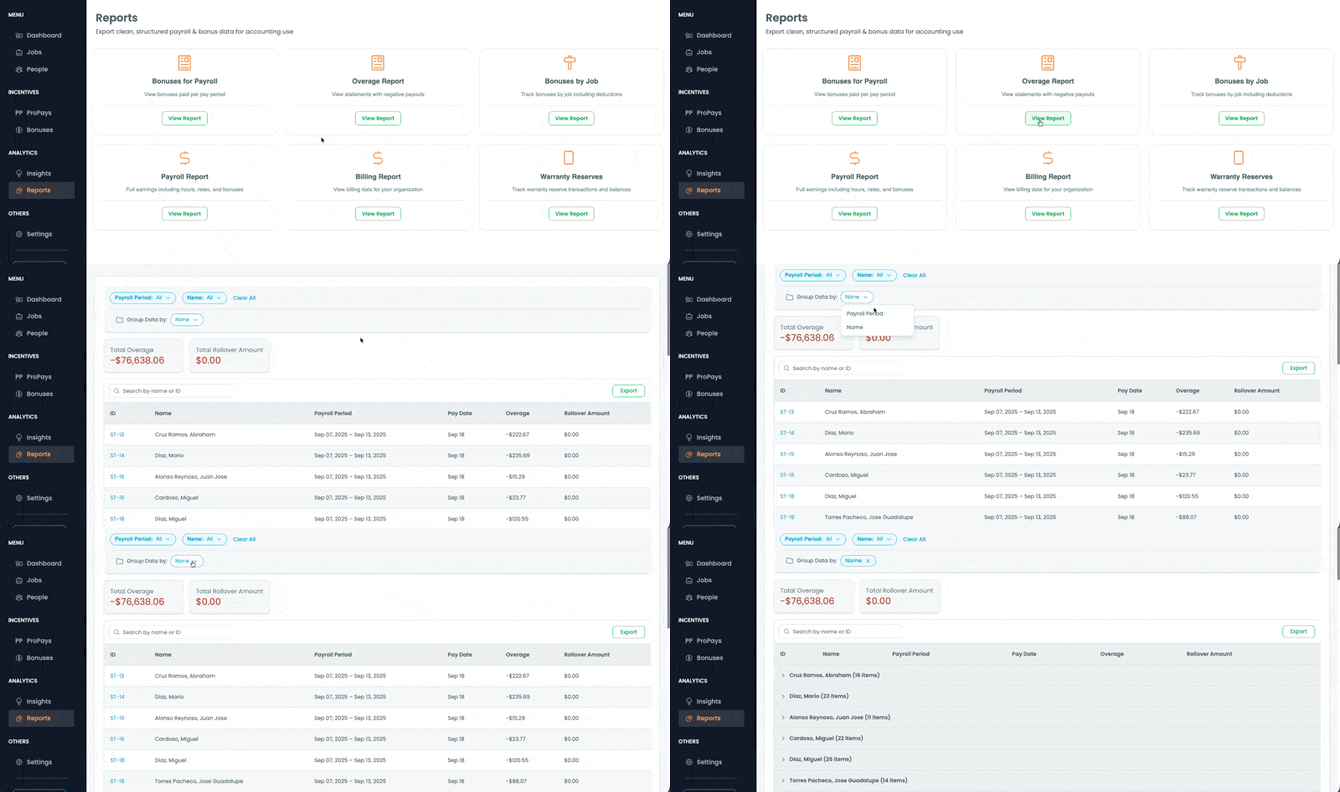
Overage Report
A new dedicated report surfaces all bonus statements that resulted in a negative payout — including rollover balances and the details your finance team needs after a pay run.
Why it matters: Overages happen — a job runs long, a team falls short of target. Previously, finding those negative payout statements meant digging through all your statements manually. Now they're all in one place, exportable, and ready for finance to review.
⚙️ Integrations
-
Aspire Sync 2.0
This is the largest Aspire upgrade we've shipped. Three major improvements in one release:
Full Resync Button Admins can now trigger a manual full data refresh from within Protiv whenever something looks off — a job isn't showing up, hours seem wrong, data feels stale. You don't need to wait for the next scheduled sync or contact support to kick it off.
Chained Phase Job Sequencing For jobs that run across multiple Aspire phases, Protiv now correctly sequences those phases in order. This means multi-phase jobs are tracked and calculated the way they're actually structured in Aspire — not flattened or out of order.
Self-Healing Materializer Behind the scenes, Protiv now automatically detects and corrects data inconsistencies as they come in from Aspire. If something comes through misaligned, the system catches and fixes it without you needing to intervene.
-
Aspire Scheduled Time vs. Estimate Report
A new report that shows you where your scheduled labor hours are running ahead of the original job estimate — before the overrun actually happens.
Why it matters: By the time you notice a job is over-budget on hours, it's often too late to course-correct. This report gives you an early warning so you can adjust before it hits your profitability — or affects what your crew earns.
-
LMN Milestone Summary Reports
LMN job data is now summarized in dedicated Protiv reports that pull together milestone progress, hours worked, costs, and overall job performance in one view.
Why it matters: If you run LMN jobs, getting a clear picture of how those jobs are tracking used to mean jumping between systems. These reports bring that information directly into Protiv so you can stay on top of job performance without the digging.
-
LMN Wage Configuration Screen
Admins can now manage LMN wage settings directly inside Protiv through a new configuration screen.
Why it matters: Before this update, adjusting wage settings for LMN jobs required reaching out to the support team or going through backend access. Now you can make those changes yourself, on your own time, without a support request.
-
BOSS XLSX & JobService Imports
BOSS customers can now import job data into Protiv using structured spreadsheet files (XLSX format), rather than entering everything manually.
Why it matters: For teams setting up Protiv with BOSS for the first time, manual job entry is one of the slowest parts of getting started. The new import flow cuts that down significantly — upload your spreadsheet, map the fields, and your job data is in.
Still need help? Email or call us!
Email us at help@protiv.com: This is the fastest way to get a response. You can expect a reply in 1-2 hours during business hours.
Call us at +1 848-220-1416: You can also call us during business hours, weekdays from 9 am to 6 pm EST.