%20200%20px%20X%2040%20px.png?width=200&height=40&name=Protiv%20Global%20Logo%20(White)%20200%20px%20X%2040%20px.png)
Protiv allows you to configure Disqualifiers & Penalties in two different areas:
- Settings → Incentive Program
- Settings → Bonus & Payout Rules
Although both settings use similar terminology, they apply at different stages of the bonus process.
The simplest distinction is:
- Incentive Program rules apply to a specific ProPay or job and can affect all eligible participants in that ProPay.
- Bonus & Payout Rules apply to one employee’s overall bonus statement.
Incentive Program Disqualifiers & Penalties
Location:
Settings → Incentive Program → Disqualifiers & Penalties
These rules apply at the ProPay level and are reviewed when an individual ProPay is approved.
Use these rules for conditions connected to the overall performance or outcome of a specific job.
Common use cases
Examples include:
- Property damage on the job
- Safety procedures not being followed
- Required job documentation not being completed
Who is affected?
Incentive Program disqualifiers and penalties apply to the ProPay as a whole, rather than to only one selected employee.
This means they can affect all bonus-eligible participants included in that ProPay. Depending on your incentive setup, this may include crew members, crew leaders, managers, or other eligible participants.
Use these rules when the consequence should apply to the job team collectively.
How a ProPay disqualifier works
A disqualifier is an all-or-nothing rule for the ProPay.
If the requirement is not met, the bonus from that ProPay is disqualified for all eligible participants. Bonuses earned from other ProPays are not automatically affected.
Example
Four employees are eligible to receive a bonus from a painting job. During approval, the company confirms that the job failed a required quality inspection.
If the quality inspection is configured as a ProPay disqualifier, all four eligible participants lose the bonus they would have received from that ProPay.
Their bonuses from other jobs remain unchanged.
How a ProPay penalty works
A penalty reduces the bonus available from the ProPay without fully disqualifying the participants.
The penalty can be configured as:
- A preset dollar amount
- Set at Propay approval, allowing the approver to enter the amount while reviewing the ProPay
The penalty is generally distributed among eligible participants in proportion to each participant’s calculated share of the ProPay bonus. Employees with a larger bonus share may therefore receive a larger portion of the deduction.
If there is no positive bonus amount available to calculate proportional shares, the penalty may be divided equally among the eligible participants.
Example
A crew earns a total ProPay bonus of $1,000:
- Employee A’s calculated share: $500
- Employee B’s calculated share: $300
- Employee C’s calculated share: $200
A $200 property-damage penalty is applied to the ProPay.
Because the employees’ original bonus shares represent 50%, 30%, and 20% of the total bonus, the penalty is distributed using the same proportions:
- Employee A’s deduction: $100
- Employee B’s deduction: $60
- Employee C’s deduction: $40
Their adjusted bonuses are:
- Employee A: $400
- Employee B: $240
- Employee C: $160
The total penalty remains $200.
Important consideration
Incentive Program rules are not designed to apply a job-level consequence to only one selected participant.
Before using one, consider whether the condition should affect everyone eligible for that ProPay or whether it is an employee-specific issue that should be handled separately.
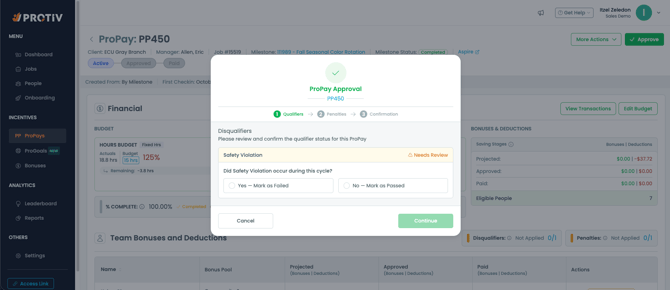
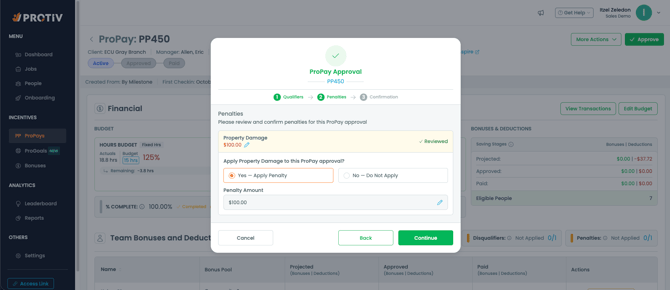 Bonus & Payout Rules Disqualifiers & Penalties
Location:
Settings → Bonus & Payout Rules → Disqualifiers & Penalties
These rules apply at the statement level and are reviewed when the company prepares an employee’s final bonus payout.
Use these rules for conditions that apply to an individual employee across the entire payroll or statement period, rather than to one specific job.
Common use cases
Examples include:
- Unexcused absences during the pay period
- Clock-in errors
- Failure to meet a requirement that affects the overall payout
- A payroll-period deduction that is not connected to one specific job
How a statement disqualifier works
A statement disqualifier affects the employee’s overall bonus statement.
If the employee does not meet the requirement, the consequence applies to their statement payout rather than to one individual ProPay.
How a statement penalty works
A statement penalty reduces the employee’s final net payout.
The employee’s individual ProPay bonuses can remain approved, but the penalty is deducted from the combined statement total.
Example
An employee has three approved ProPays on one statement:
- ProPay A: $100
- ProPay B: $150
- ProPay C: $50
Statement total: $300
If the employee receives a $75 attendance penalty, their final payout is:
$300 − $75 = $225
The penalty applies to the employee’s overall statement and is not assigned to one specific job.
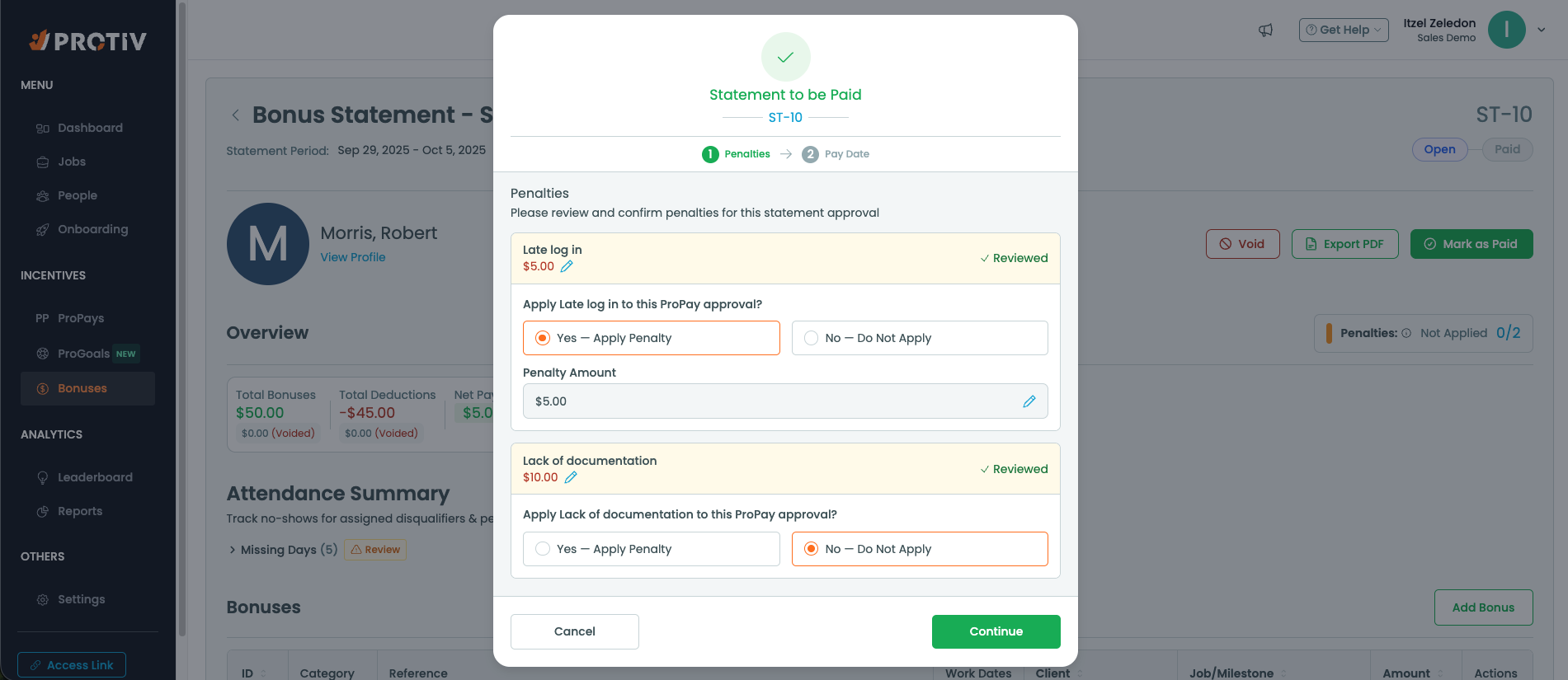
Comparing the Two Settings
| Setting location | Applies to | Who may be affected | Reviewed when | Best used for |
|---|
| Incentive Program | One specific ProPay or job | All eligible participants in that ProPay | During ProPay approval | Job performance, quality, safety, documentation, damage or rework |
| Bonus & Payout Rules | One employee’s overall statement | The employee whose statement is being reviewed | During statement payment | Attendance, conduct or payroll-period requirements |
Disqualifier vs. Penalty
A disqualifier determines whether the applicable bonus remains eligible for payout.
A penalty allows the bonus to remain eligible but reduces the amount paid.
Use a disqualifier when failing the requirement should remove the applicable bonus entirely.
Use a penalty when the bonus should still be paid, but at a reduced amount.
Important Note About Setting Changes
Changes made to Disqualifier & Penalty templates are intended for future ProPays or statements.
Updating a template does not automatically change rules already attached to existing or active ProPays and statements.
Although the two settings pages may look similar, they are not duplicates:
- Incentive Program rules govern the job-level ProPay and its eligible participants.
- Bonus & Payout Rules govern an individual employee’s final statement payout.
Still need help? Email or call us!
Email us at help@protiv.com: This is the fastest way to get a response. You can expect a reply in 1-2 hours during business hours.
Call us at +1 848-220-1416: You can also call us during business hours, weekdays from 9 am to 5 pm EST.